

Does your connection fluctuate while you use it?
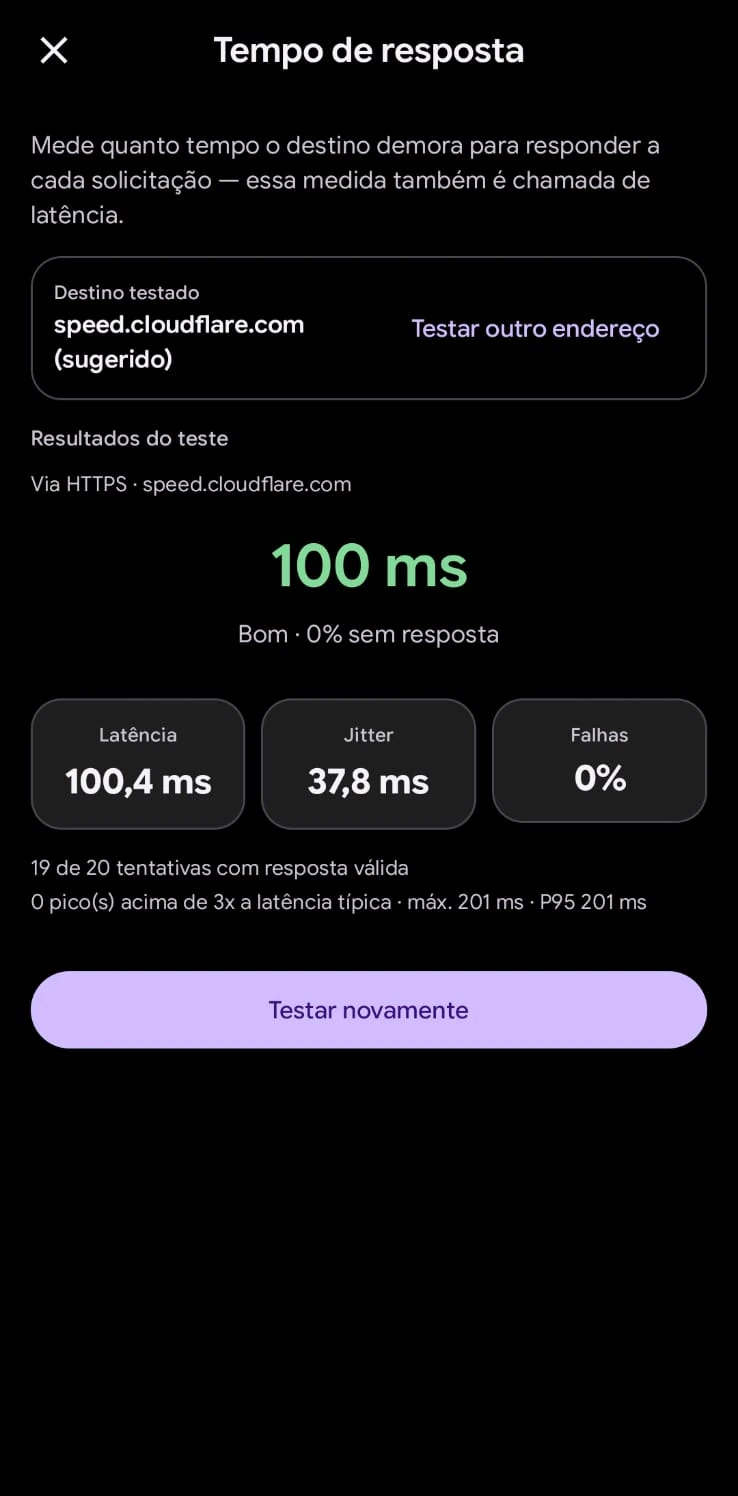
Measures consecutive latency stability (jitter) and how often your connection fluctuates in real time.
Measures 30 consecutive responses and shows how much response time varies.
HTTP failures indicate timeouts, not physical packet loss. How we measure.
Understand what is making your network unstable.
On Android, SignallQ analyzes stability minute by minute, comparing variation with Wi-Fi signal strength in dBm and channel congestion to isolate the cause.
Questions about the jitter test
What is jitter and why does it affect a connection?
Jitter is variation in your internet response time. If one packet arrives in 20 ms and the next takes 80 ms, jitter is 60 ms. That variation disrupts voice calls, video meetings, and competitive games.
What is a good jitter value?
Below 5 ms is excellent. From 5 to 15 ms is good for most uses. Above 20 ms, you may notice stutters in games and video meetings.
What causes high jitter at home?
Common causes are Wi-Fi channel interference, being too far from the router, or other devices in the home running heavy downloads at the same time.
What is the browser jitter test's limitation?
The web test measures variation across successive HTTP requests to the CDN edge. Individual failures indicate web-layer timeouts; they are not the same as physical UDP or ICMP packet loss. The Android app measures real packet loss and router channel conditions.
Sua internet continua oscilando? Descubra o motivo exato.
O SignallQ para Android analisa a saúde do seu Wi-Fi, interferências de canais, estabilidade de rota e equipamentos compatíveis com inteligência de diagnóstico.