

Find out whether your Wi-Fi channel is congested.
SignallQ scans nearby networks, measures competition for each radio channel, and suggests a clearer channel for your router.
What this feature helps you find out.
Local spectrum scan
See which nearby networks compete with yours and which channels are crowded.
A clearer channel
Compare available frequencies and choose the option least likely to suffer interference.
2.4 GHz and 5 GHz
Understand the difference between the longer-range 2.4 GHz band and faster 5 GHz.
How to use it in the SignallQ app.
Open Tools
In the SignallQ Android app, select Wi-Fi and mobile network.
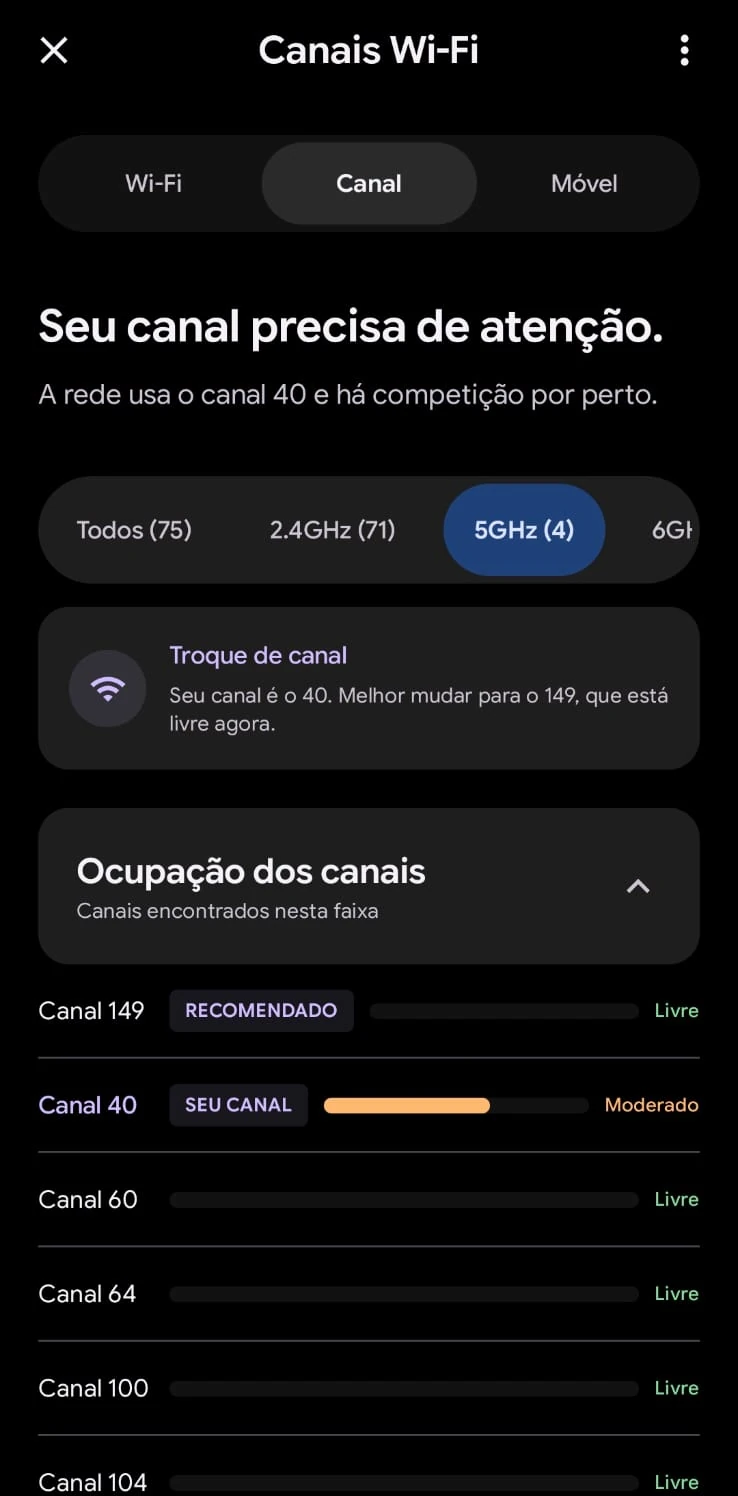
Open Channels
The app reads networks detectable by your phone's Wi-Fi radio.
Check the recommendation
See whether your current channel is clear, moderate, or congested, plus the suggested alternative.
Understanding channel analysis
The diagnosis is based on radio waves your phone receives where you are.
The channel with the lowest observed traffic and overlap at the time of the scan.
Classified as Clear, Moderate, or Congested from active nearby networks.
Questions about this feature
How does a Wi-Fi channel affect internet speed?
Routers use specific radio channels. When you and nearby homes share one, devices compete for airtime, which can cause delays, packet loss, and slowdowns.
Does the app change my router channel?
No. For security, channel changes happen in your router's own admin settings. SignallQ analyzes the radio environment and identifies the least competitive option.
What is the difference between 2.4 GHz and 5 GHz channels?
2.4 GHz travels farther through walls but has fewer non-overlapping channels. 5 GHz is faster and has many more channels, though its range is shorter.
Why is this tool Android-only?
Browsers cannot access raw Wi-Fi radio data for privacy and security reasons. Detailed channel analysis is available in the Android app.
Other SignallQ Android tools
Sua internet continua oscilando? Descubra o motivo exato.
O SignallQ para Android analisa a saúde do seu Wi-Fi, interferências de canais, estabilidade de rota e equipamentos compatíveis com inteligência de diagnóstico.