

See which devices are visible on your network.
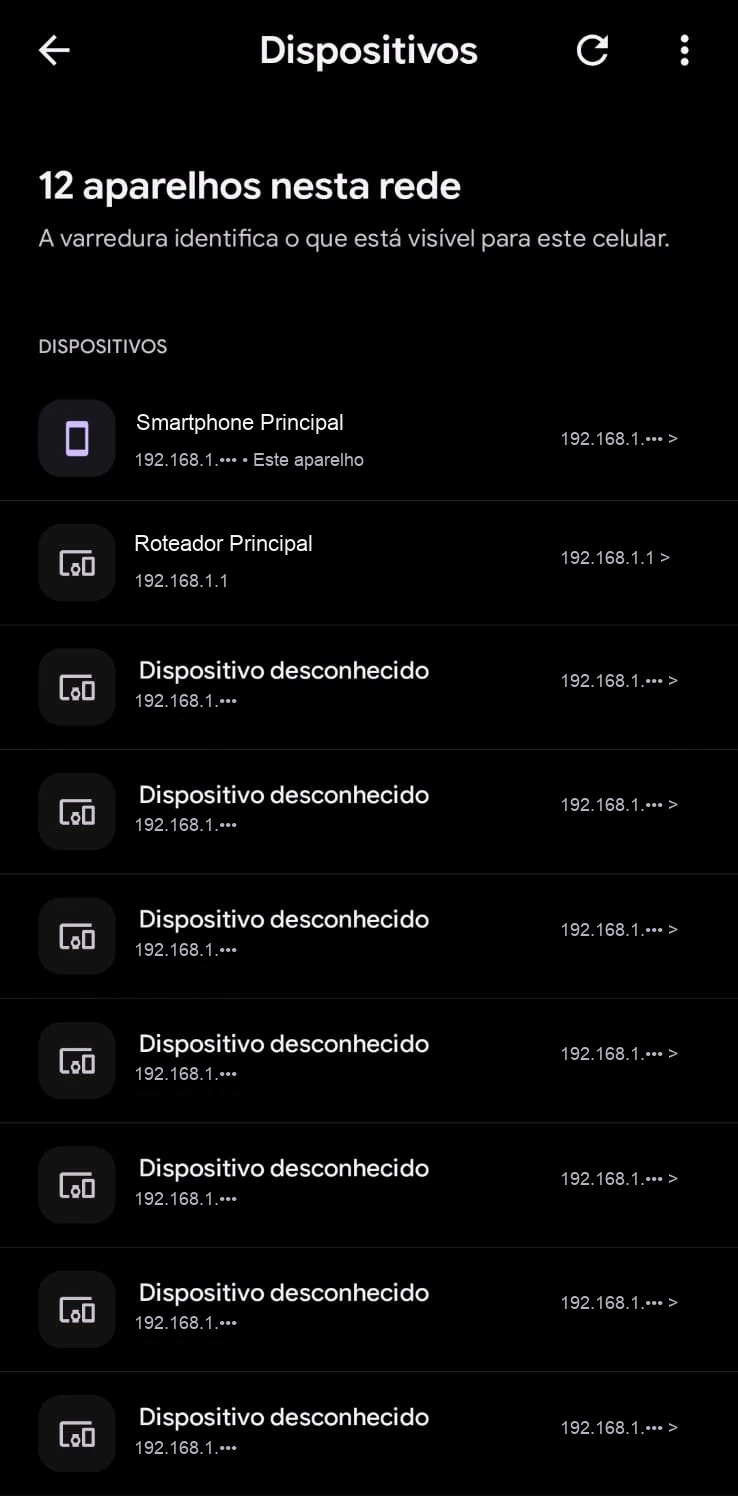
SignallQ scans addresses on your local network and lists responsive phones, computers, TVs, and other connected devices.
What this feature helps you find out.
Active-device identification
See devices using the same connection at the time of the scan.
IP addresses and makers
Review assigned IP address, host name, and device-identification details.
Potential unknown devices
Spot unfamiliar devices consuming your connection.
How to use it in the SignallQ app.
Connect to Wi-Fi
Make sure the Android phone is on the network you want to scan.
Open Devices
In SignallQ Tools, choose Who is using your network.
Follow the scan
The app lists identified nodes and marks your phone and router.
Understanding a network scan
The scan identifies what is visible from the phone's point of view.
Devices that actively responded to local subnet discovery protocols at the time of the reading.
Equipment that responds on the network but does not provide a friendly host name, such as IP cameras or smart bulbs.
Questions about this feature
How does the app find other devices?
SignallQ scans the local subnet using name resolution, mDNS, and neighbor-table queries to find devices that respond locally.
Will it show every device at home?
Not always. Firewalls, deep power saving, guest-network isolation, and randomized MAC addresses can prevent responses.
Can I block a device with SignallQ?
SignallQ is an audit and diagnosis tool. Block a device from your router administration panel.
Why cannot a browser do this?
Browsers cannot scan a local network or inspect ARP data because of strict cross-site security protections. This diagnosis is Android-only.
Other SignallQ Android tools
Sua internet continua oscilando? Descubra o motivo exato.
O SignallQ para Android analisa a saúde do seu Wi-Fi, interferências de canais, estabilidade de rota e equipamentos compatíveis com inteligência de diagnóstico.