
Find out why your internet is underperforming.
SignallQ analyzes your network, shows where the problem is, and tells you what to do. Then it helps you confirm the fix worked.
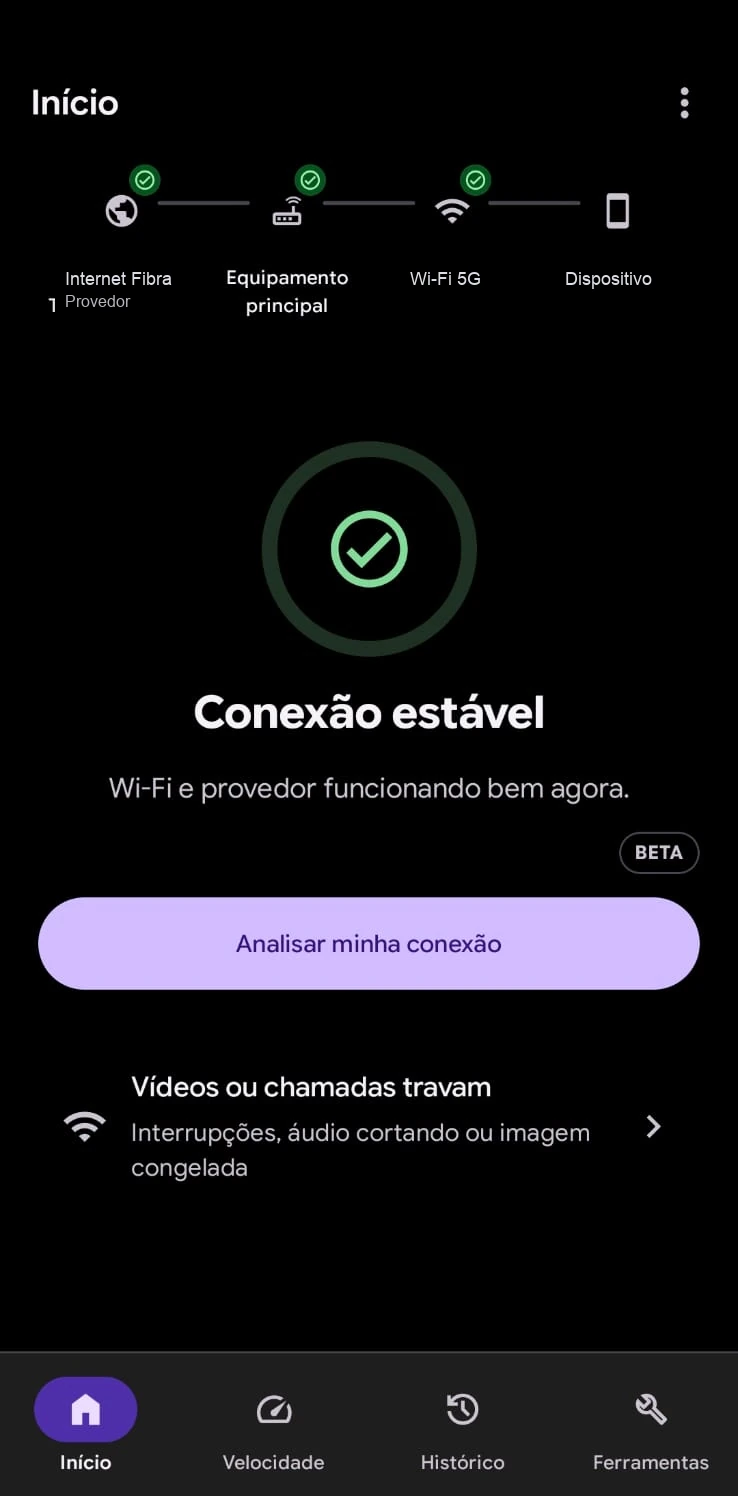
Internet acting up? Find the likely cause.
Analyze your connection, understand the signals, and know what to try next.
Explore this feature →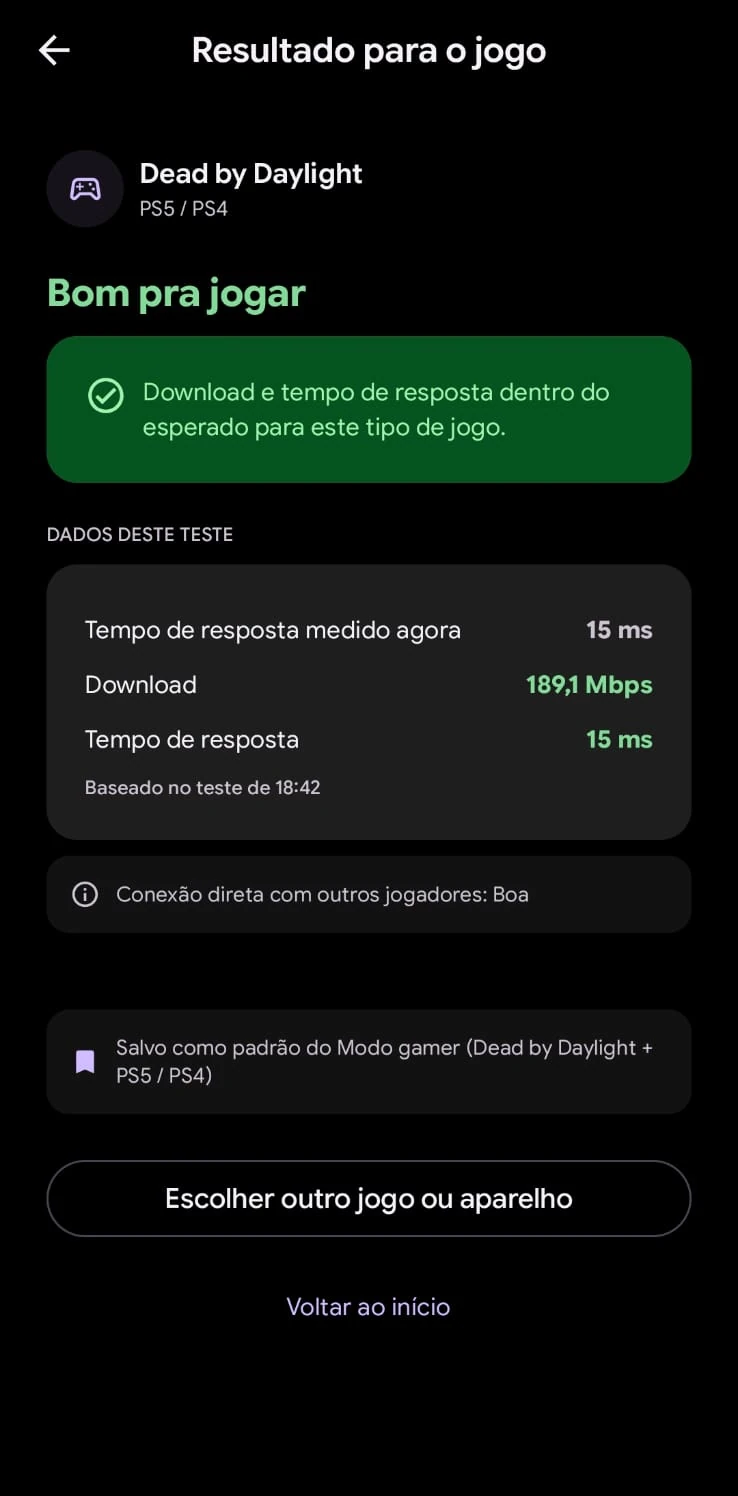
Ferramentas gratuitas que funcionam no navegador.
Medições reais e imediatas no seu navegador para entender o estado da sua conexão agora.
Mede taxa real de download, upload e latência com veredito em palavras simples.
Tempo de resposta HTTP, jitter e atraso sob saturação de banda (bufferbloat).
Check de conectividade calibrado por perfil de jogo (FPS, MOBA, Battle Royale).
Compara o tempo de resolução via DoH entre Cloudflare, Google e Quad9.
Identifica oscilação no tempo de resposta para videochamadas e streaming.
Four questions. One answer at a time.
Tell us what you notice: slowdowns, freezes, or dropouts. The analysis starts with the symptom.
Wi-Fi, router, provider, or DNS. The app tests what matters.
A short, safe next step, without needing networking knowledge.
Check again and see whether it improved.
Primeiro a conclusão. Os números vêm depois.
Cada resultado segue a mesma ordem, em palavras simples. Detalhe técnico só aparece se você quiser.
- 1VereditoO que está acontecendo, em uma frase.
- 2Causa provávelCom nível de confiança. Hipótese não vira certeza.
- 3EvidênciasSó as essenciais, cada uma explicada.
- 4Ação recomendadaO passo mais útil agora.
- 5ConfirmaçãoNova verificação para ver se funcionou.
What only the app can do.
For security reasons, web browsers cannot access your phone hardware or radio interface. The SignallQ app runs deep diagnostics that no website can perform.
Checks stability for online games and identifies latency swings and loss that affect your matches.
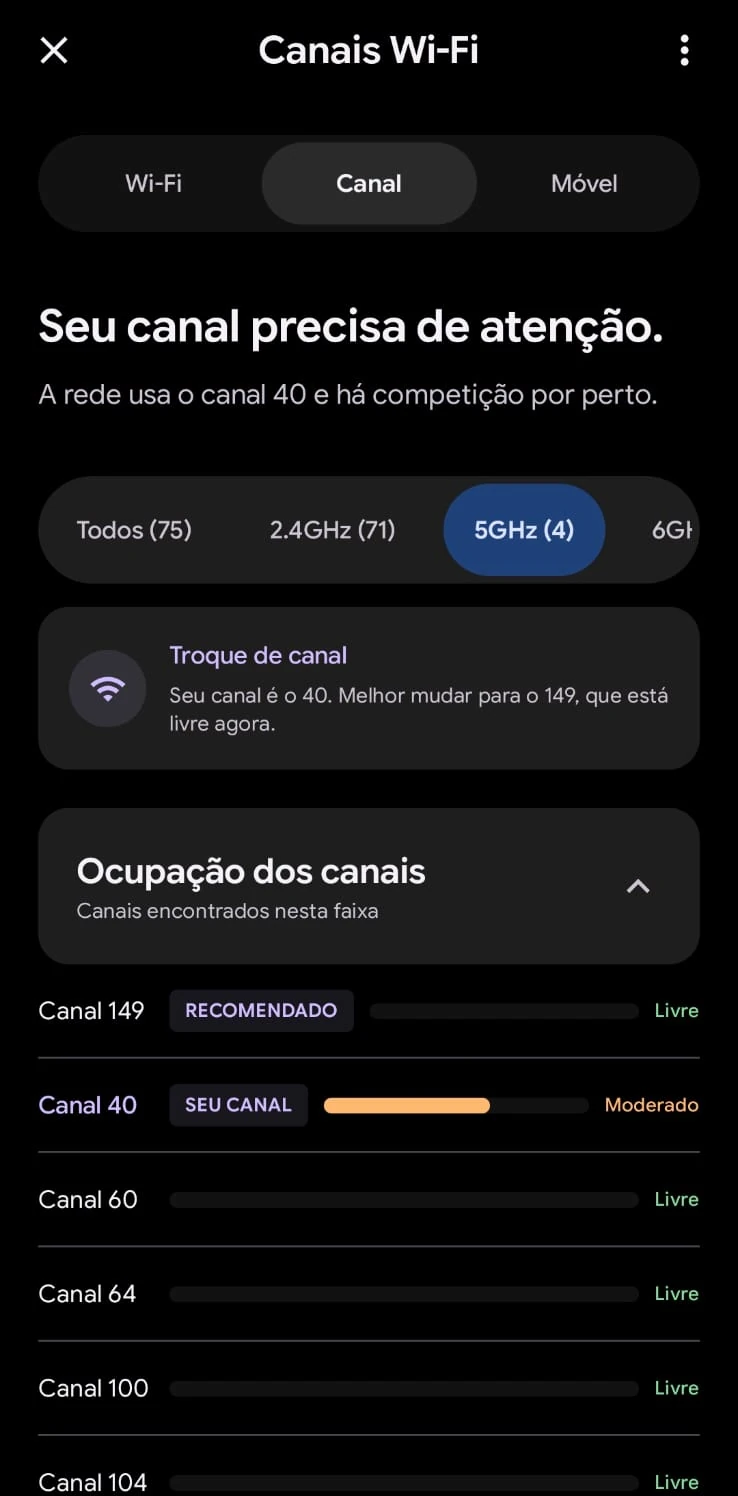
Scans nearby networks to find the least crowded channel for your router.
Reads real radio power room by room, without relying on generic signal bars.
Identifies visible devices connected to the router and flags potential intruders.
Diagnoses the mobile network and reads signal strength from your carrier tower.
Maps dead spots around your home and compares before and after moving the router.
An auditable history with masked data, ready to open a support request with your provider.
Ongoing insight into your network.
SignallQ tracks your connection performance with detailed history, passive monitoring, and equipment readings.
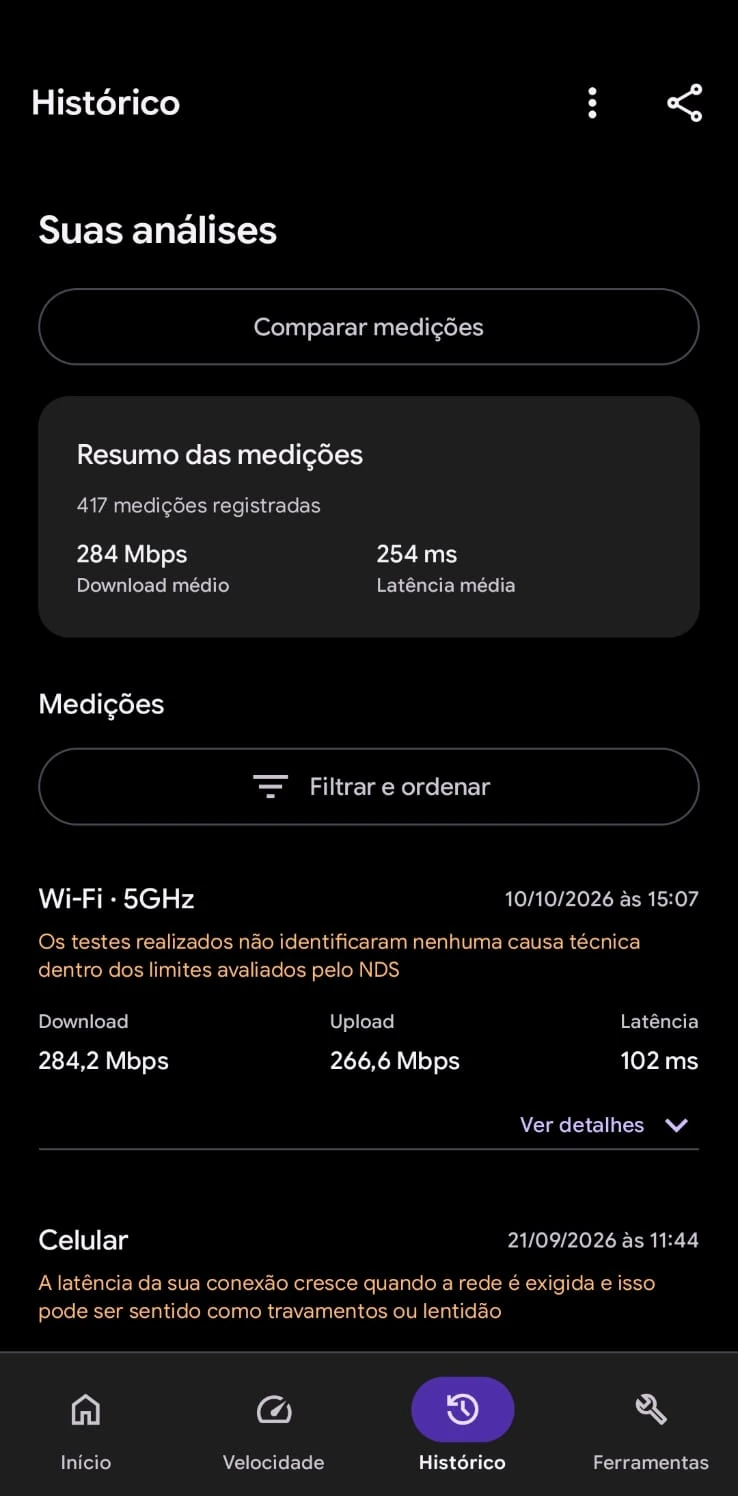
Follow speed and latency over time to document instability.
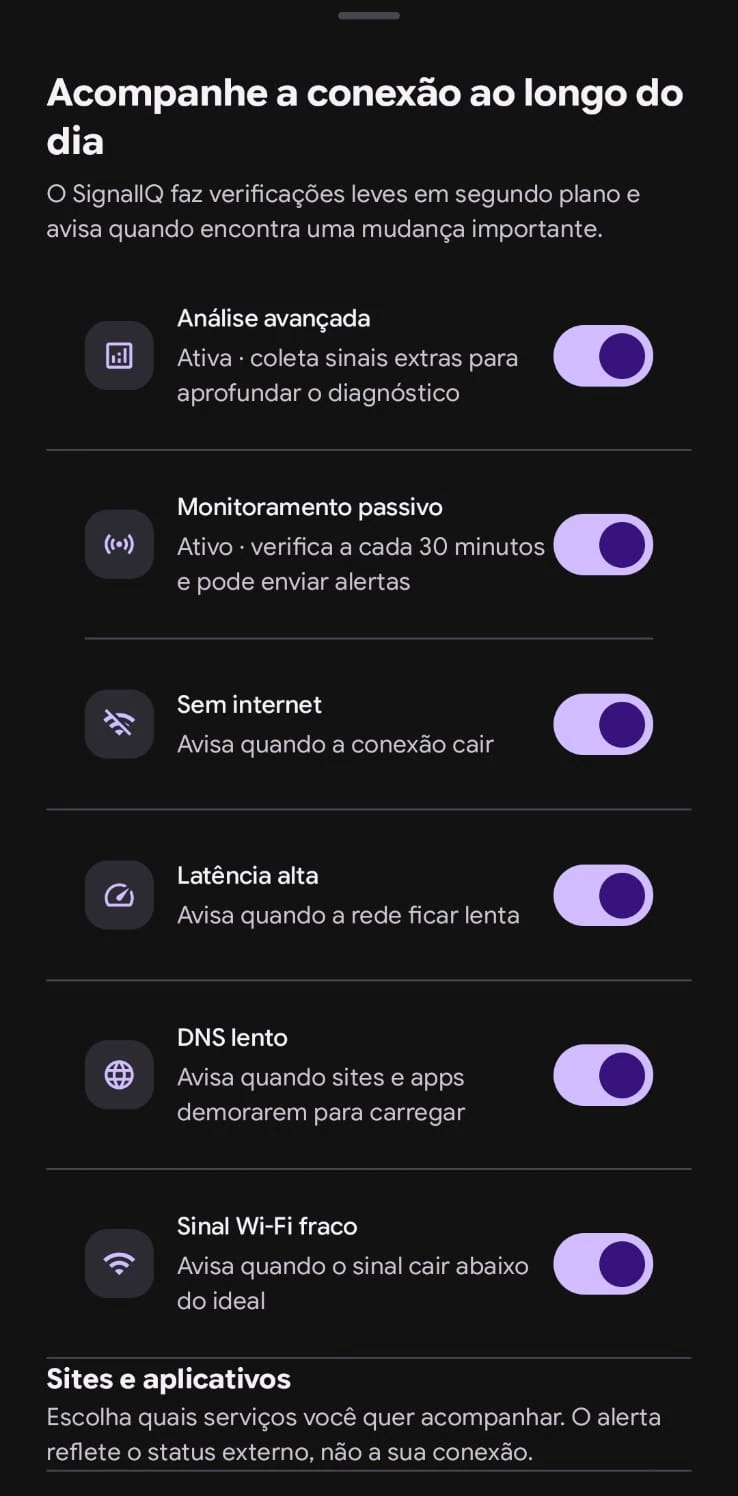
Automatic checks warn you when the network starts degrading before a match drops.
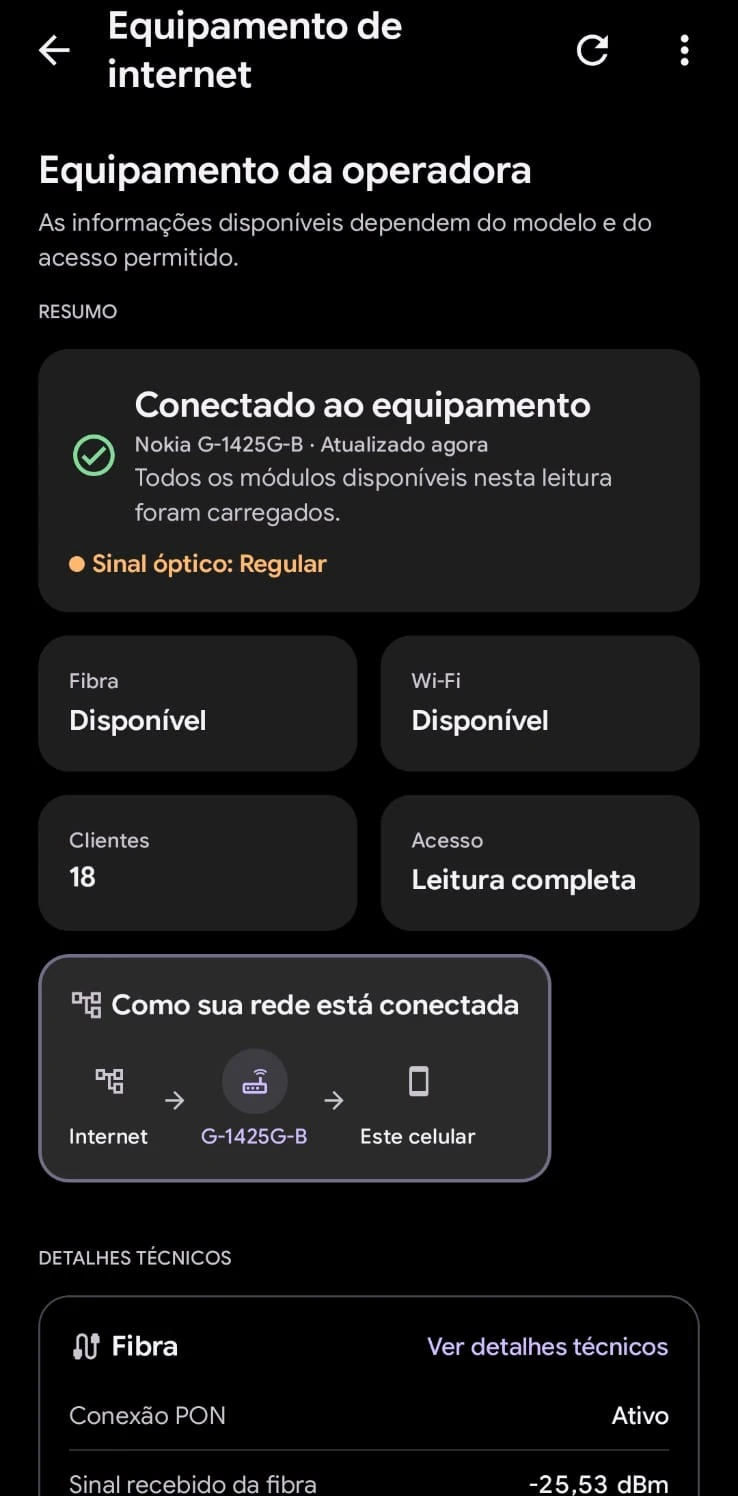
Reads optical signal status and PON connection on compatible provider equipment.
More SignallQ solutions
Complementary tools and apps built for specific network diagnostic and measurement needs.
Connectivity and route analysis for online gaming. Find out whether your connection is stable enough for competitive play without stutters or lag.
Network diagnostic and connectivity tools built for the Apple ecosystem. Ideal for iPhone and iPad users.
Room-by-room coverage diagnostics. Map Wi-Fi strength throughout your home and compare before and after moving your router.
SignallQ is focused on Android. In the Apple ecosystem, meet Linka for iOS network diagnostics.
Practical guides to improve your connection.
Plain-language articles to understand and solve internet problems.
Wi-Fi, router, provider, or DNS: learn to identify the cause and fix it without guessing.
Router placement, the difference between 2.4 GHz and 5 GHz, and how to choose a clearer channel.
Understand why speed is not the only thing that matters for calls and gaming.
A practical Mbps guide by person and device for streaming, work, and gaming.
Common questions
Is SignallQ just a speed test?
No. It measures when needed, but its focus is explaining the cause and guiding you toward a solution.
Do I need to understand networks?
No. Results use short sentences and plain language. Technical detail is optional.
Does it work on iPhone?
SignallQ is built for Android. For iPhone and iPad, meet Linka, our iOS solution.
How much does it cost?
You can get started free, with no account required.
No guesswork. No jargon.
No metric appears without telling you what it means for your connection.
When there is only a clue, the app calls it a clue.
You leave the analysis knowing what to try next.