

Know what your mobile signal strength means.
SignallQ for Android diagnoses cellular signal in real time, including active 4G LTE or 5G NSA technology, connection quality, RSRP, and RSRQ.
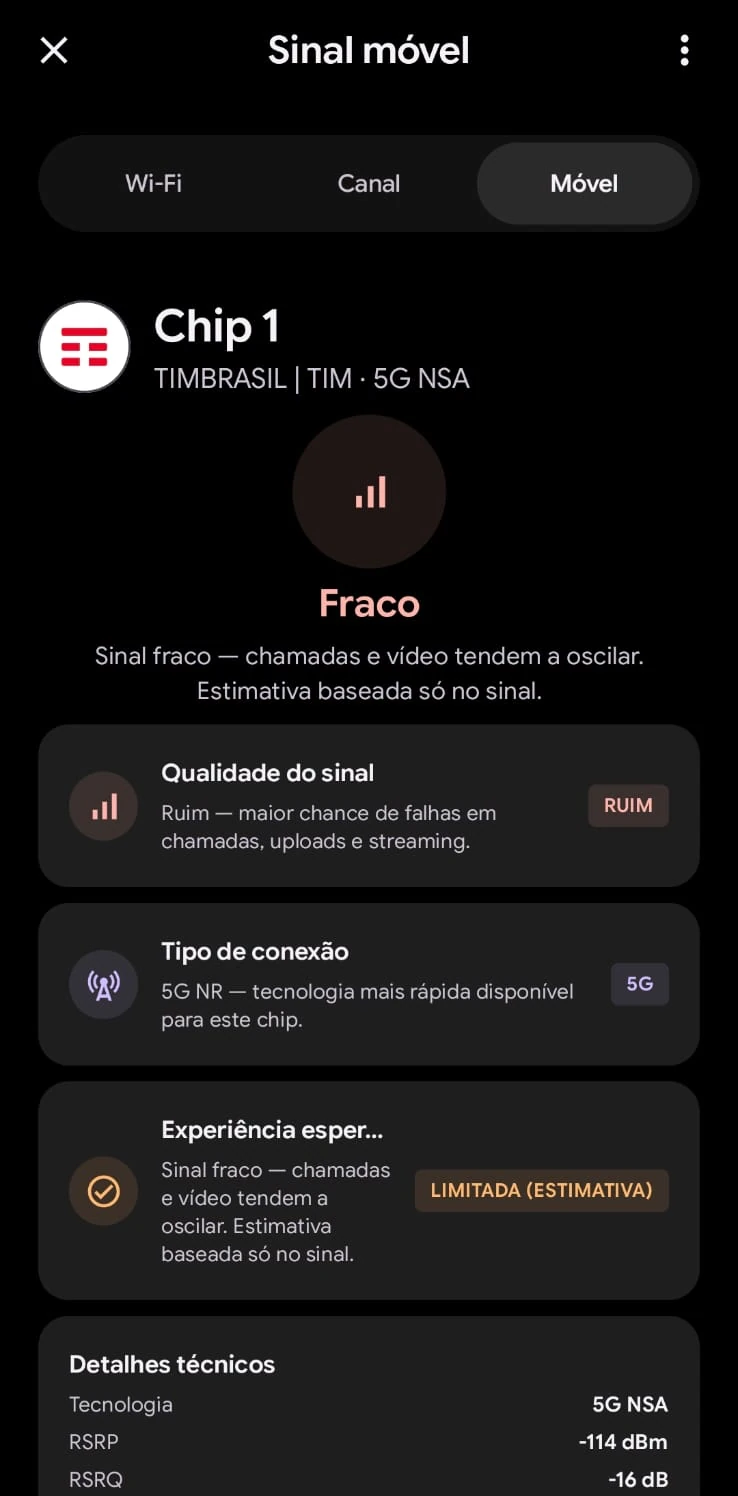
What this feature helps you find out.
Real 4G and 5G diagnosis
See whether your 5G is performing well or operating near its stability limit.
Tower metrics
Access radio power and noise indicators directly from the phone modem.
Plain-language guidance
The app turns complex numbers into clear advice for calls and streaming.
How to use it in the SignallQ app.
Open the tool
In SignallQ Android, open Wi-Fi and mobile network, then select Mobile.
Check the active SIM
On Dual SIM phones, view telemetry for the selected data SIM.
Assess quality
Review network technology, RSRP in dBm, and the stability estimate for calls and streaming.
Understanding mobile telemetry
Data comes directly from Android's TelephonyManager API.
Above -80 dBm is excellent; -90 to -105 dBm is good to moderate; below -115 dBm is weak and prone to drops.
Above -10 dB is very good; below -15 dB can indicate high interference or tower congestion.
Questions about this feature
What are RSRP and RSRQ?
RSRP measures cellular radio power reaching the phone. RSRQ measures signal quality and noise or interference from the tower.
Why can 5G be slow?
The icon can mean 5G NSA sharing 4G infrastructure, or a weak signal. SignallQ shows the actual quality.
Can a browser measure tower signal?
No. Cellular telemetry is restricted to Android and requires phone and location permissions.
How do I find a better spot at home?
Open Mobile Signal in the app and watch the live RSRP reading while moving near windows or between rooms.
Other SignallQ Android tools
Sua internet continua oscilando? Descubra o motivo exato.
O SignallQ para Android analisa a saúde do seu Wi-Fi, interferências de canais, estabilidade de rota e equipamentos compatíveis com inteligência de diagnóstico.